How a heuristic audit turned "the shrunken desktop" into a mobile roadmap sequenced by impact against effort — every problem measured, every measurement paired with a proposal.
Waypoint Telemetry is a field telemetry platform: cameras installed across trails and sites record passages, produce images, and feed usage analytics. The product was built for desktop, and on a phone it delivered the same interface at a smaller scale — same components, same columns, same header, only squeezed.
I was brought in to say what was wrong with the mobile experience and what to do about it. The line that opens the audit carries the whole diagnosis:
"The product needs a mobile layer, not a smaller desktop."
I ran a heuristic audit across the three breakpoints the product already declared — 1440, 768 and 390px — documenting every break with the measurement that caused it: the width where a column gets stuck, the height the header eats, the exact point where text is clipped. Measurements instead of adjectives: "the list column lands at ~170px" rather than "the list feels cramped".
Experience analysis and heuristic evaluation of each screen at the three breakpoints, with visual evidence and a measurement for every problem raised — and a matching proposal on the same page of the deck.
User research. The audit is heuristic and the deck says so to the client in plain words: where the evidence wasn't enough to decide, the recommendation became a question rather than a statement.
That honesty about the method's limit became the closing slide: "what is the mobile user actually here to do?". If the answer is checking cameras and recent captures in the field, mobile should lead with camera status and the latest images, and treat deep analytics as a desktop task — rather than reproducing every desktop screen at a smaller size. That is a product decision, and it belongs to the client; my job was to put it on the table with the evidence next to it.
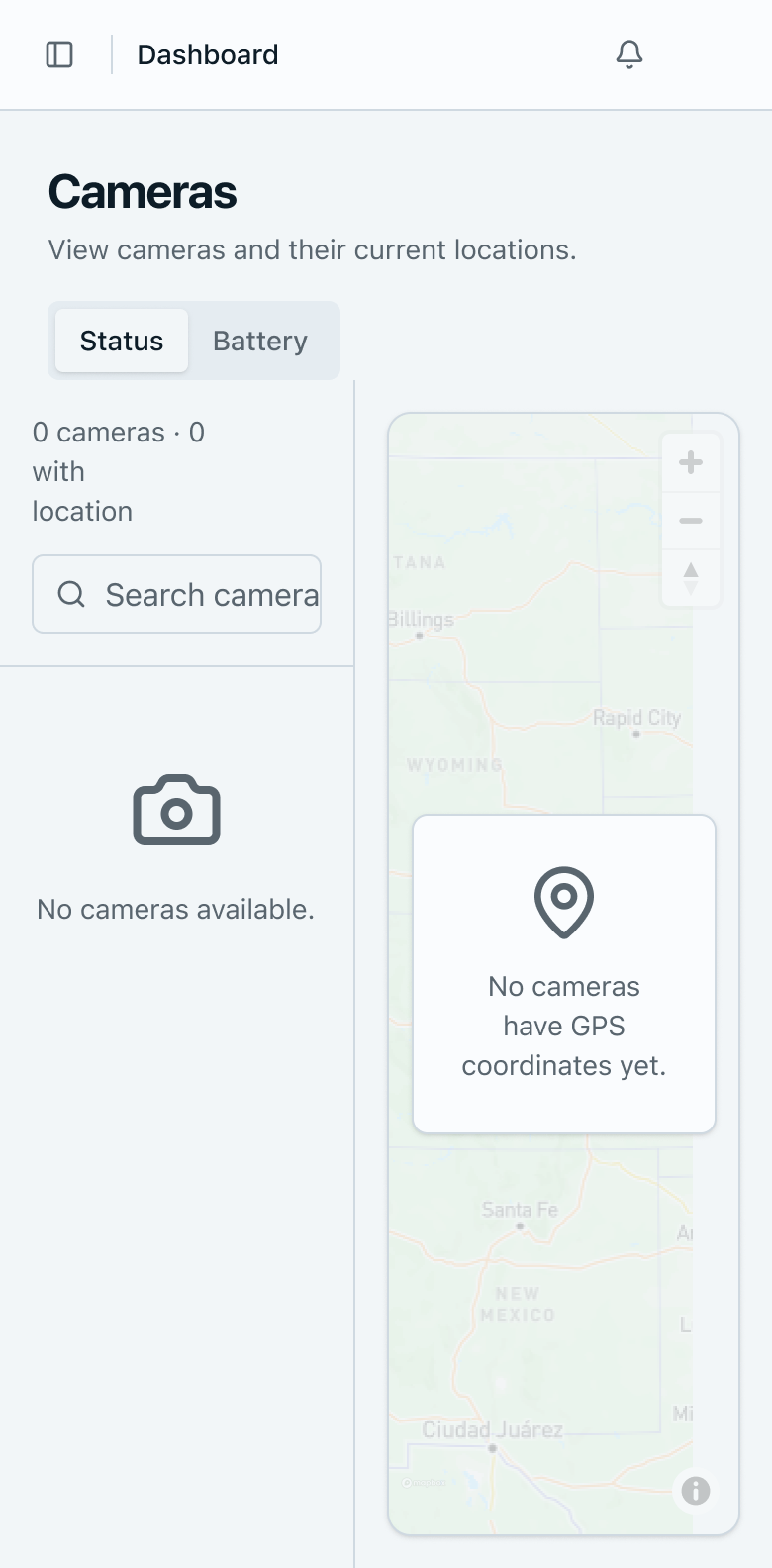
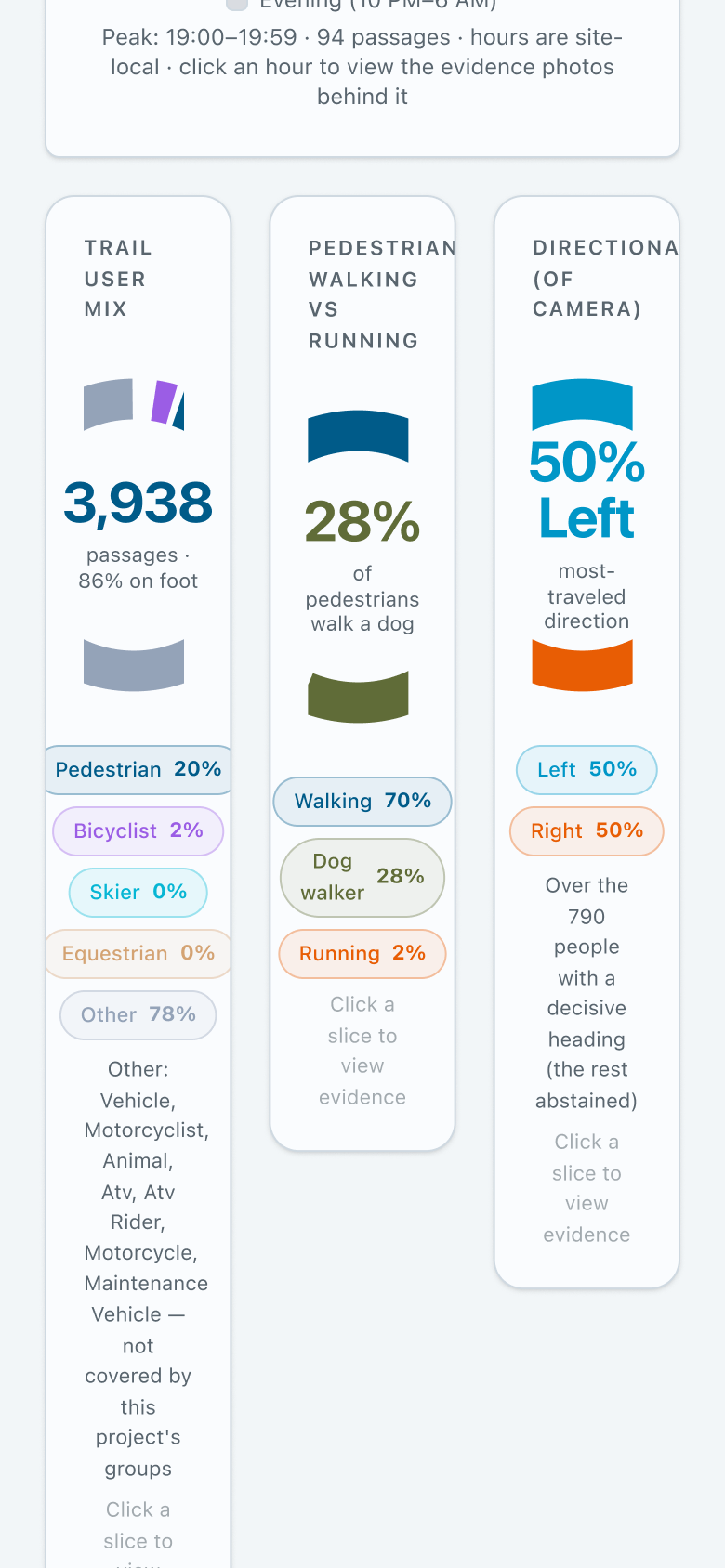
Components weren't restructured for smaller screens — they were merely shrunk. On Cameras, the list + map split is kept: the list column lands at ~170px, which clips the search field mid-placeholder and breaks the counter over three lines. On Analytics, three columns are preserved: each card is ~100px wide and still holds a donut chart, a figure, five legend chips and a paragraph — titles wrap one word per line. Documents and the glossary stay as tables, so the last column is cut off at the viewport edge.
Proposal: stack below 768px. Cameras becomes search → List / Map toggle. Analytics goes to one card per row with a 240px chart. Tables become cards: name first, metadata on a second line, actions in an overflow menu.
The user scrolls before seeing anything they came for, on every tab. On Images, five always-expanded filters push the photo grid — the reason for the screen — entirely below the fold. On Analytics, an empty chart holds around 400px of blank space around the message "No recent data for this filter".
Proposal: collapse the project header on scroll to project name plus status chip, and move dates and counts behind a Details disclosure. Put filters into a bottom sheet behind a Filters button with a count badge. Collapse empty charts to a compact notice that already offers the next action.
Three names describe overlapping things: the sidebar says "My Projects", the card link says "Open Dashboard", the header says "Dashboard". At 768px the sidebar is still fixed, taking ~180px and leaving content in a column narrower than a phone. Navigation, documentation, the signed-in account and logout exist only inside the collapsed drawer.
Proposal: show real location in the header — Projects › Home Testing › Analytics, truncating the middle; collapse the sidebar to an icon rail below 1024px and a drawer below 768px; and settle on one name per concept across sidebar, cards and header.
Three primary interactions assume a cursor. On a phone they are not slower — they are impossible. The proposal gives every drag a list equivalent, makes the legend row the tap target where a chart segment is too small for a finger, uses device-neutral verbs, and requires two fingers (or tap-to-activate) for map gestures so they don't compete with page scrolling.
Each proposal below became a screen. Drag the curtain to compare: on the left the product as it was, on the right the redesign. These are crops of the first fold at 390px wide — exactly the range where the problems show up.
 before
after
before
after
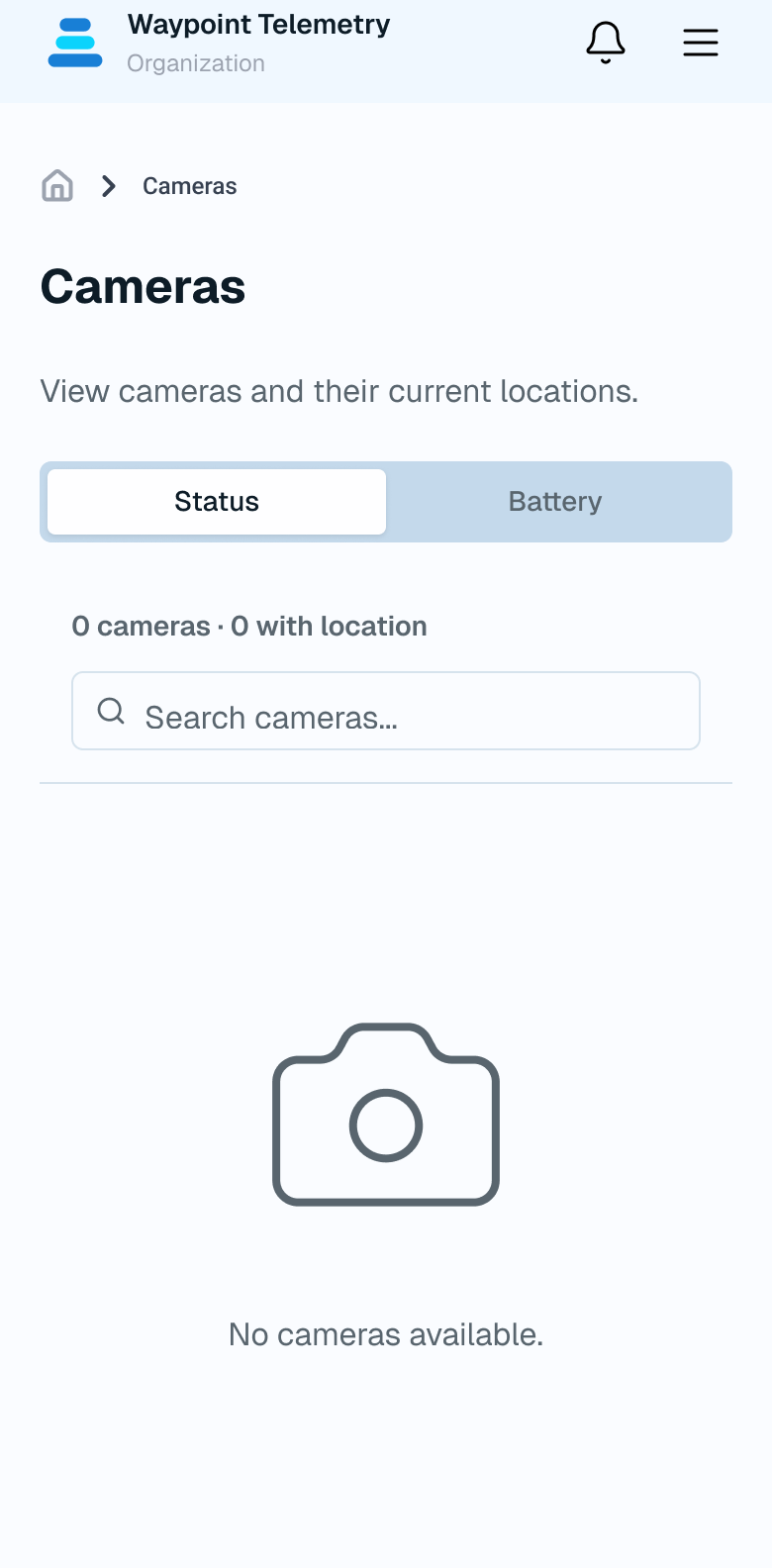
Before, list and map split the width: the list column landed at ~170px, the "Search camera" placeholder was clipped mid-word and the counter broke over three lines. After, a single column: the counter on one line, full-width search, and a breadcrumb telling you where you are — the map becomes a toggle, not a competitor.
 before
after
before
after
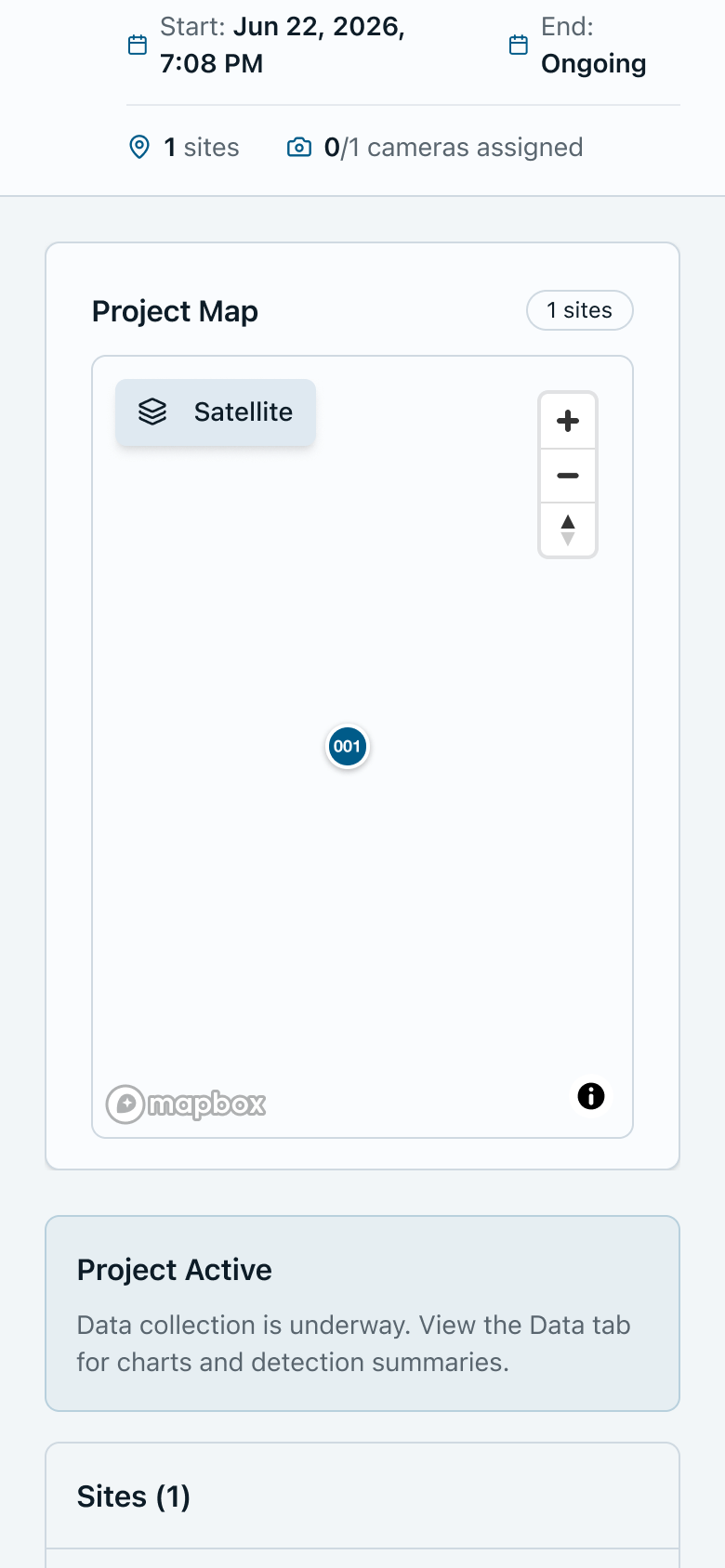
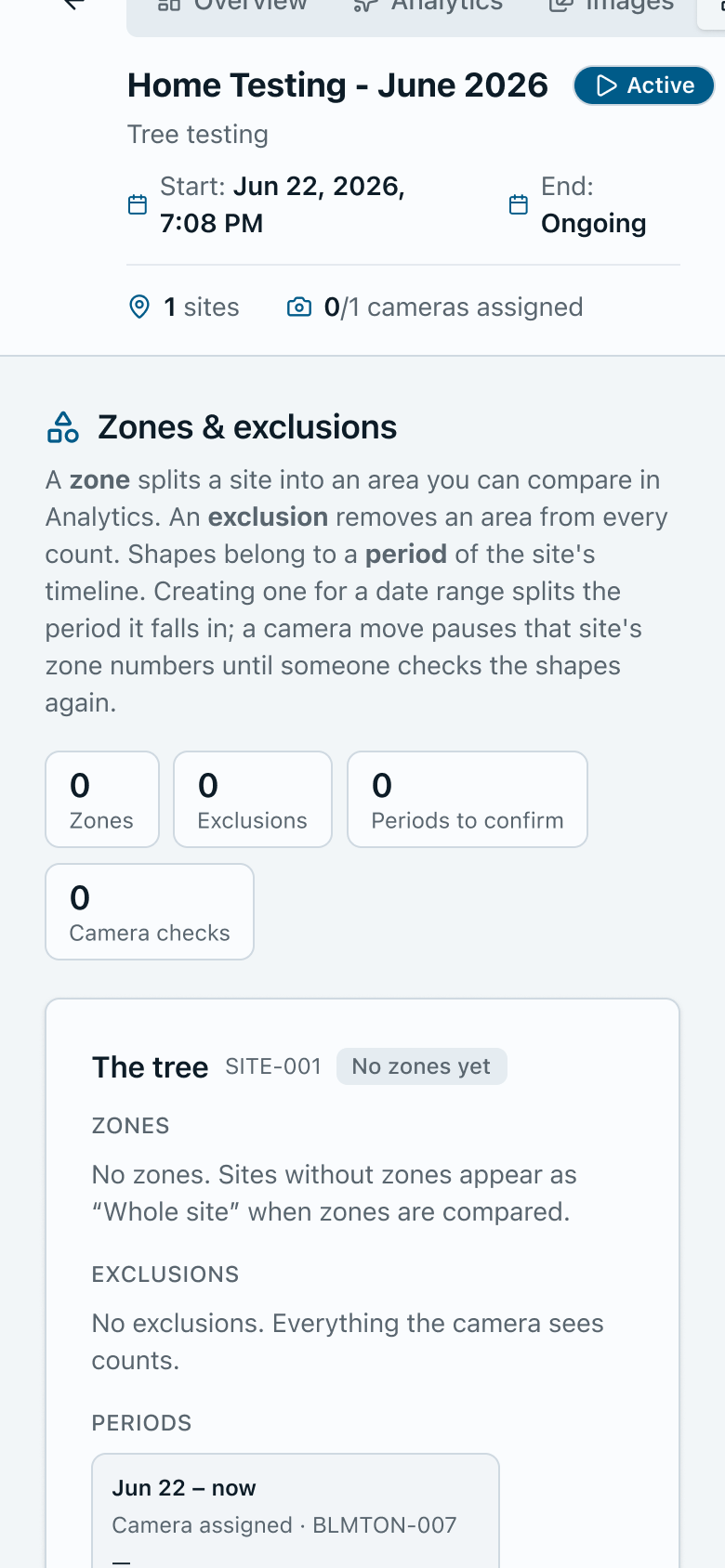
Before, the project header — name, subtitle, start and end dates, site and camera counts — consumed the screen before any content. After, the same header collapses to name and status, the rest moves behind a Details disclosure, and the project map shows up while still in the first fold.
 before
after
before
after
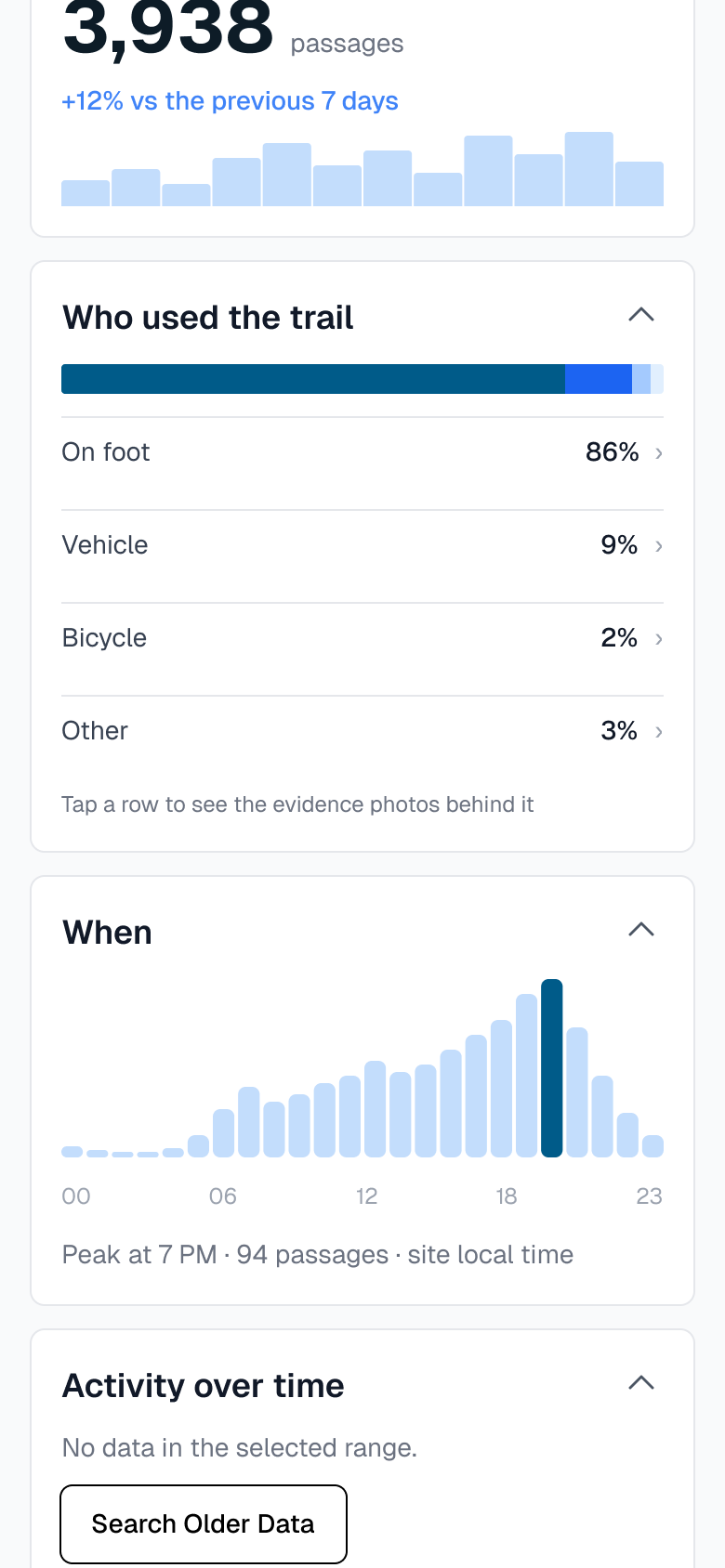
Before, three ~100px cards shared the width, each holding a donut, a figure, five legend chips and a paragraph: "TRAIL USER MIX" wrapped over three lines and "Click a slice to view evidence" over five. After, one card per row: the distribution becomes a tappable list with a percentage per category — the row is the tap target, since the donut slice is too small for a finger — and the histogram gets the full width.
 before
after
before
after
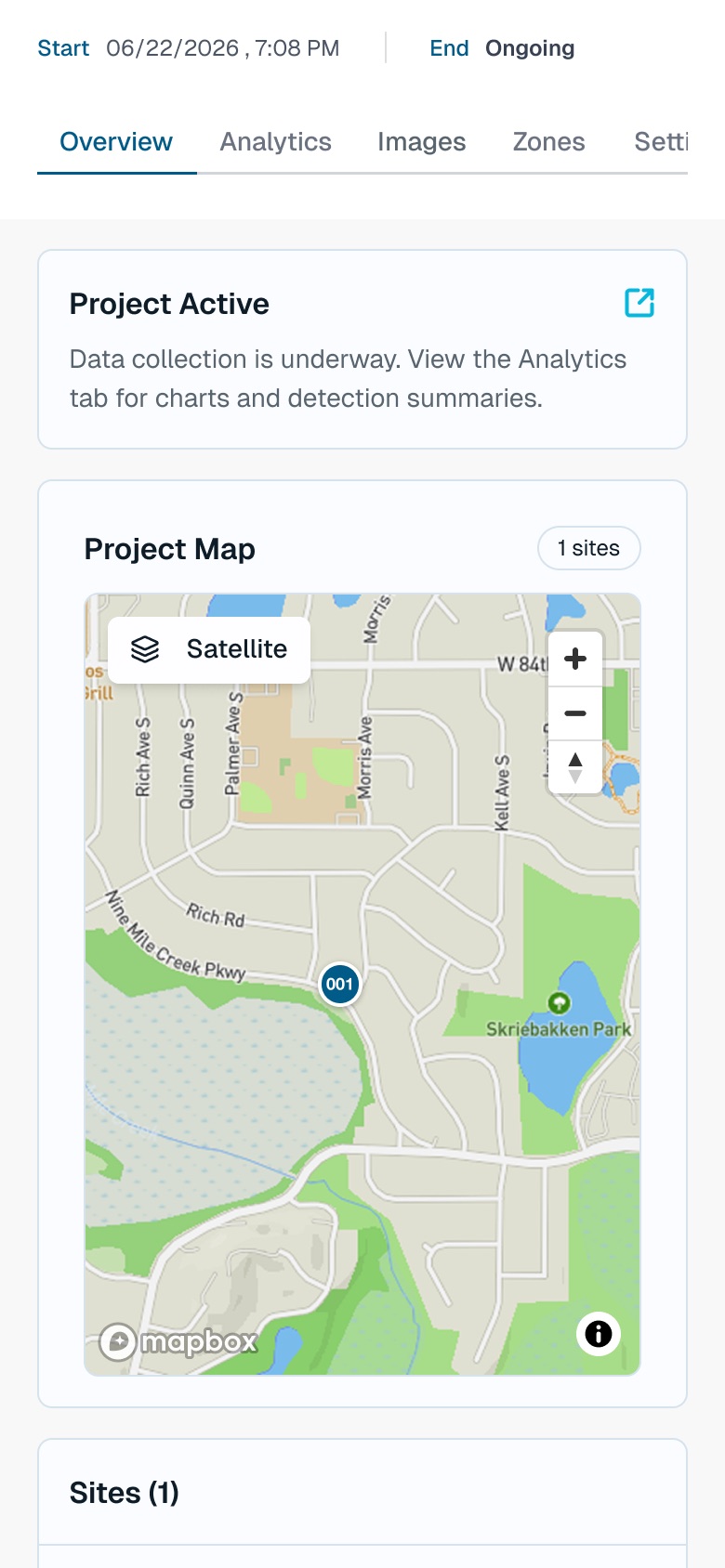
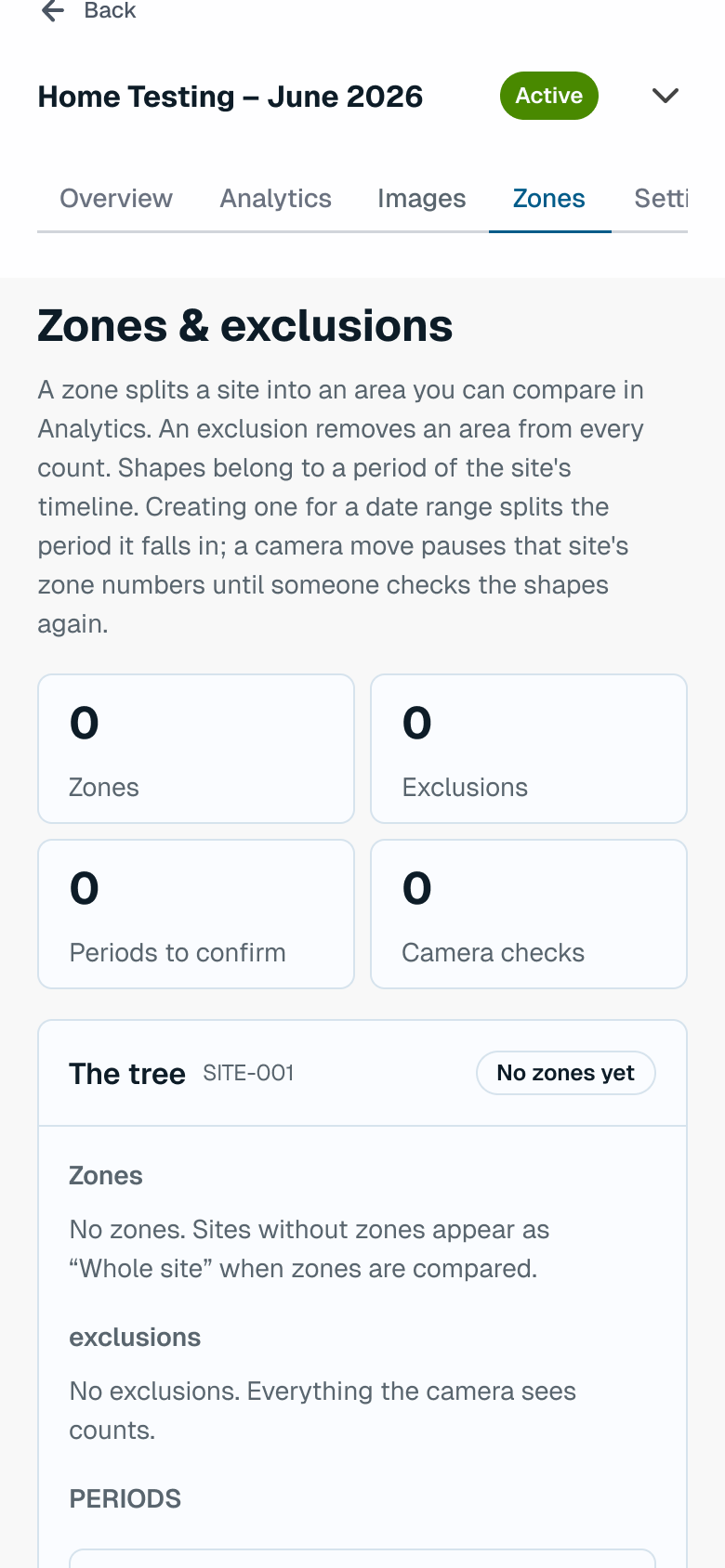
Before, the tab strip was cut off at the viewport edge and the counters broke into 3 + 1. After, the project header becomes a single line — name, status chip and a chevron to expand — the tab strip scrolls horizontally with the active tab underlined, and the counters sit in a 2 × 2 grid that fits a phone.
Drag the curtain, or use the arrow keys with the handle focused
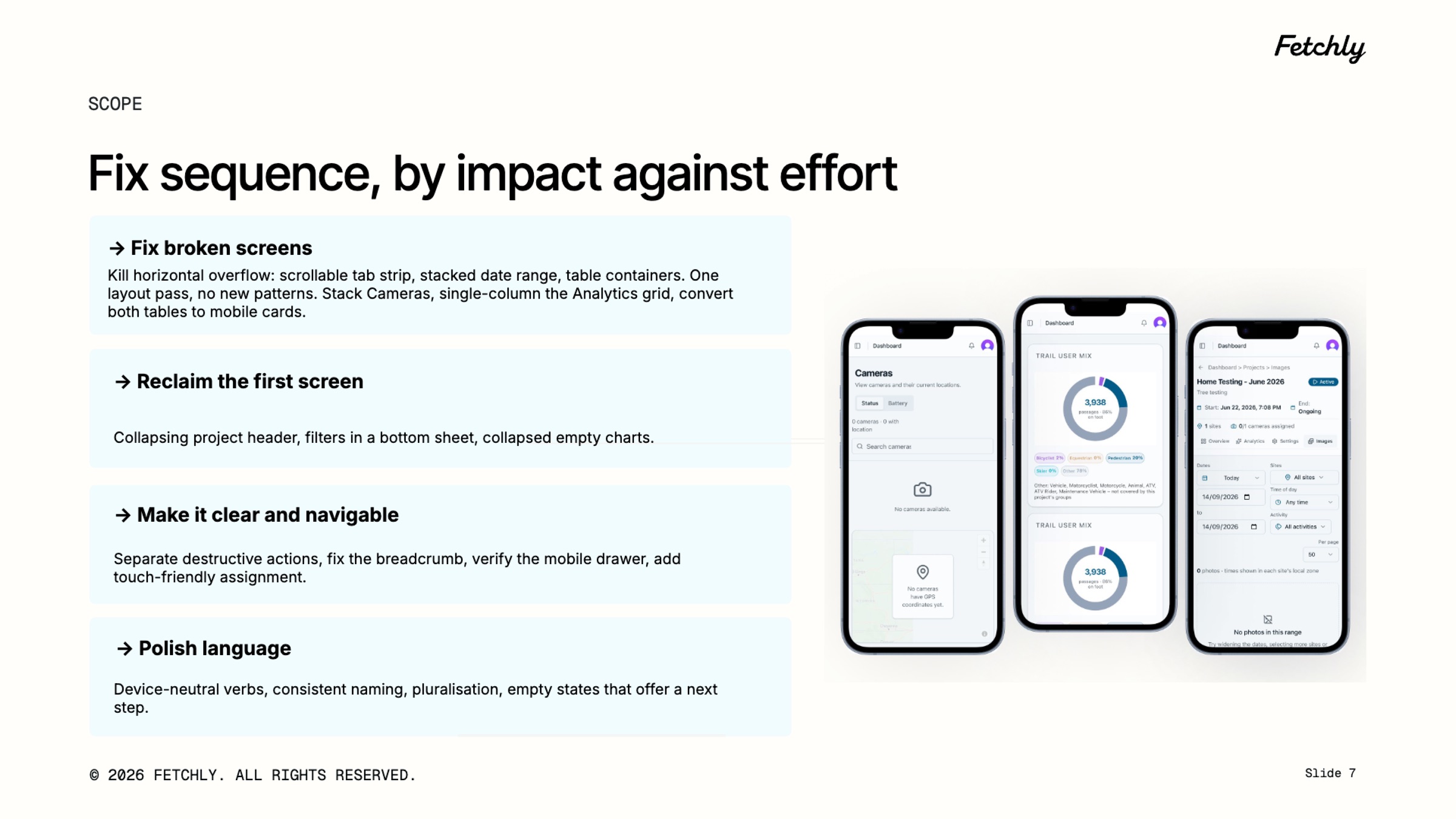
An audit that hands over thirty loose problems is not executable. The fixes were grouped into four phases, in the order worth attacking them — each one delivers value on its own, and none depends on the next to make sense.
| Phase | What it solves |
|---|---|
| 1. Fix broken screens | Kill horizontal overflow: scrollable tab strip, stacked date range, table containers. One layout pass, no new patterns — stack Cameras, single-column the Analytics grid, and convert both tables to mobile cards. |
| 2. Reclaim the first screen | Collapsing project header, filters in a bottom sheet, and empty charts reduced to a compact notice. |
| 3. Make it clear and navigable | Separate destructive actions, fix the breadcrumb, verify the mobile drawer, and make camera assignment possible with touch. |
| 4. Polish language | Device-neutral verbs, consistent naming, pluralisation, and empty states that offer a next step. |
I ran the audit on my own: the experience analysis, the evidence, the written proposals, the prioritisation and the deck presented to the client. I also designed the nine mobile screens in the proposal that you see here — they exist to make the recommendation arguable: it is easier to agree or disagree with a screen than with a paragraph.
Implementation belongs to the development team, and the audit was written to be executable by them: every finding carries the measurement that caused it, the matching proposal, and the phase it belongs to. Not "improve mobile usability" — but "stack below 768px, 240px chart, one card per row".
| Category | Where it stands |
|---|---|
| Delivered | A 9-page audit with 3 structural findings, 1 note on interaction and a 4-phase roadmap — plus 9 redesigned mobile screens. |
| Status | Presented to the client, pending approval. Implementation hasn't started yet. |
| Results | No numbers yet: the metrics on this page describe scope, not impact. Once the redesign ships, this section gets the part that's missing. |
"If what the user comes to a phone for is checking cameras and recent captures in the field, mobile should start there — not reproduce every desktop screen at a smaller size."